Vivilife
Accutag RSH Mini Tracker Smart Tag - For Android Devices
$19.99
Colour
$19.99
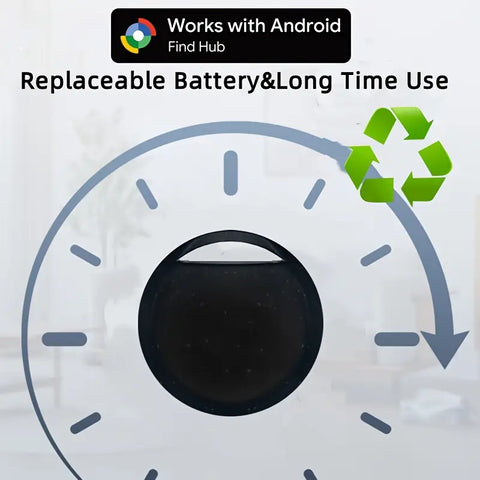
Android Smart Tracker: A certified location tracker, which is compatible with the "Find Hub" application on for Android phones (Android 9 or higher, not for iOS devices). Attach this Android tracker to things that you usually misplace, such as keys, wallets, bags, suitcases, etc.
Accurate close-up detection: Use the Find Hub application to easily find your misplaced items. It has the function of real-time proximity display, which can show the exact distance of your goods (accurate to the meter).
Worldwide Tracking Fast Location Update: When your item is out of BLE range, you can check its location on Maps in the Find Hub application. In crowded areas, location update only takes 2-3 minutes. You can also share your location with your others, providing you peace of mind.
Convenient Connection and Data Security: Simply unpack the tracker, remove the battery tab and place near an Android phone, the pairing window will automatically pop up. The Find Hub network is encrypted and anonymous. Your item location data and history will not be stored in the system, so as to protect your data security.
Note:
1.Please use it for Android 's Find Hub App.
2.Please confirm that your phone can download the Find Hub before placing an order. Thank you!
3. Compatible with Android version 9 and above. For Android 9 the Find Hub app may not be preinstalled. Generally, a new mobile phone released in 2025, or older phones updated with the latest Android version in 2025 will have the Find Hub app.


Reconnection and Reset Steps
Check Power: Press the button on the tracker once to confirm it turns on and makes a sound. If it is completely silent, open the shell back up and make sure the new battery is facing right-side up with the positive (+) side pointing up.
Factory Reset: Press the function button 4 times quickly within 2 seconds, then press and hold it on the 5th time until you hear a beep or sound. This resets the device and puts it back into pairing mode.
Pair to Phone: Open your Android tracking or finding app (such as Google Find My Device or the specific companion app used for your tag), ensure your phone's Bluetooth and location services are turned on, and follow the prompt to add or reconnect the device.